
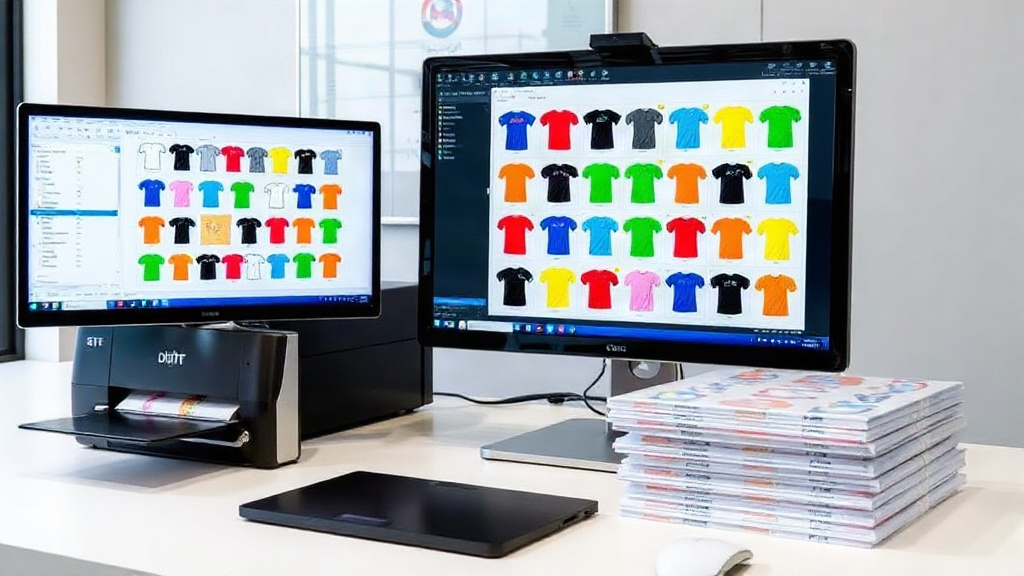
If you're into DTF printing, you've probably heard about gangsheets. But what exactly is a dtf gangsheet, and why should you care? In simple terms, a gangsheet is a large sheet where you arrange multiple designs to be printed together in one go. This method maximizes efficiency, reduces waste, and saves you money on materials. And that's where a dtf gangsheet builder comes in: a tool that helps you create these sheets effortlessly. In this guide, we'll dive deep into everything you need to know about DTF gangsheet builders, from basics to advanced tips, so you can take your printing game to the next level.
What is a DTF Gangsheet Builder?
A dtf gangsheet builder is a software tool that allows you to arrange multiple DTF transfer designs onto a single sheet before printing. Think of it as a digital canvas where you can drag and drop your artwork, resize, rotate, and nest designs to fit perfectly. The goal is to use every inch of the transfer film efficiently, minimizing wasted space and reducing your cost per print.
With a dtf gangsheet builder, you can upload your designs, set the sheet size (common widths are 13", 22", and 24"), and let the tool automatically optimize the layout. Some advanced builders even use AI to suggest the best arrangement. Once your gangsheet is ready, you send it to your DTF printer, and after printing, you have a sheet full of transfers ready to be cut and applied.
Why Use a DTF Gangsheet Builder?
If you're still manually arranging designs in a graphic design program, you're missing out on significant benefits. Here's why a dedicated dtf gangsheet builder is a game-changer:
- Time Savings: Automating the layout process can cut your prep time from hours to minutes.
- Cost Reduction: By maximizing film usage, you reduce waste and lower your cost per transfer.
- Consistency: Ensures proper spacing and alignment, reducing errors and reprints.
- Scalability: Easily handle large orders with multiple designs without chaos.
Whether you're a small business owner or a large print shop, incorporating a dtf gangsheet builder into your workflow can lead to smoother operations and higher profits.
Key Features to Look for in a DTF Gangsheet Builder
Not all gangsheet builders are created equal. When choosing one, consider these essential features:
1. Intuitive Drag-and-Drop Interface
You want a tool that's easy to use, even if you're not a tech wizard. A clean, visual interface with drag-and-drop functionality makes arranging designs a breeze.
2. Automatic Nesting and Optimization
The best builders use algorithms to automatically nest designs, filling gaps and rotating items as needed to maximize density. This is where you see the biggest material savings.
3. Custom Sheet Sizes
Your printer likely supports specific film widths. Ensure the builder allows you to set custom dimensions so your gangsheet matches your printer's capabilities.
4. Design Library and Templates
Some builders include a library of pre-made designs or templates you can use directly. This is great for beginners or for quickly creating common items like t-shirt tags.
5. Export Options
You'll need to export your gangsheet as a high-resolution image or PDF that your printer's RIP software can handle. Look for support for formats like PNG, TIFF, or PDF at 300 DPI.
How to Create a DTF Gangsheet: Step-by-Step
Ready to build your first gangsheet? Follow these steps:
- Choose Your Builder: Select a reputable dtf gangsheet builder that fits your needs and budget.
- Set Sheet Size: Enter the width and length of your film. Common widths are 13", 22", and 24". Length can be customized based on your order.
- Upload Designs: Import your artwork files. Ensure they are high resolution (300 DPI) and have transparent backgrounds.
- Arrange Designs: Drag and drop designs onto the sheet. Use the auto-arrange feature if available, or manually position them for optimal use of space.
- Adjust Spacing: Leave a small gap (usually 0.1-0.2 inches) between designs to make cutting easier.
- Review and Export: Double-check for overlaps or cut-off areas. Export the final gangsheet as a high-quality file.
- Print and Cure: Send the file to your DTF printer, apply hot melt powder, and cure. Then cut and press onto garments.
With practice, you'll be able to whip up gangsheets in no time.
Tips for Maximizing Efficiency with Your DTF Gangsheet Builder
To get the most out of your dtf gangsheet builder, keep these tips in mind:
- Group Similar Designs: If you have multiple sizes of the same design, nest them together to save space.
- Use Every Inch: Rotate designs to fill gaps. Small items like logos or names can fit into leftover spaces.
- Standardize Sizes: If possible, stick to standard sheet sizes to simplify the process and reduce setup time.
- Save Templates: If you frequently print the same designs, save the gangsheet layout as a template for future use.
- Keep Designs Updated: Regularly refresh your design library to keep your offerings fresh and appealing.
These small tweaks can lead to significant time and cost savings.
Common Mistakes to Avoid
Even with a great tool, mistakes happen. Here are some pitfalls to watch out for:
- Overcrowding: Cramming too many designs can lead to cutting errors and misprints. Leave adequate spacing.
- Ignoring DPI: Low-resolution images will look pixelated and unprofessional. Always use 300 DPI or higher.
- Forgetting Bleed: If your design has a background, add a small bleed to avoid white edges after cutting.
- Not Testing: Before printing a full sheet, do a small test print to check colors and alignment.
By avoiding these common mistakes, you'll save time, money, and frustration.
Frequently Asked Questions
What is the best DTF gangsheet builder for beginners?
For beginners, look for a builder with a simple, intuitive interface and automatic nesting features. Many online tools offer free trials, so you can test a few before committing. Popular options include DTF Gangsheet Builder by DTF Worlds, which is designed for ease of use.
How do I determine the right sheet size for my DTF gangsheet?
The sheet size depends on your printer's maximum film width. Common widths are 13 inches (for smaller printers) and 22 or 24 inches (for larger models). Choose the width that matches your printer, and set the length based on how many designs you need to print.
Can I use any image format in a DTF gangsheet builder?
Most builders accept PNG, JPG, and PDF files. However, for best results, use PNG with transparent backgrounds to ensure clean edges. Always ensure your images are at least 300 DPI for crisp prints.
How much can I save by using a DTF gangsheet builder?
Savings vary, but by optimizing film usage, you can reduce waste by 20-30% or more. This directly lowers your cost per transfer, increasing your profit margin. Additionally, time savings from automated layout can significantly boost productivity.
Is it possible to create a gangsheet without a dedicated builder?
Yes, you can manually arrange designs in graphic design software like Photoshop or Illustrator. However, it's time-consuming and prone to errors. A dedicated dtf gangsheet builder automates the process, ensuring efficiency and accuracy.
Conclusion
Mastering the use of a dtf gangsheet builder is essential for anyone serious about DTF printing. It streamlines your workflow, reduces costs, and allows you to scale your business efficiently. By choosing the right tool and following the tips outlined in this guide, you'll be well on your way to producing high-quality DTF transfers with minimal waste. Remember, the key is to experiment, optimize, and stay updated with the latest features. Happy printing!